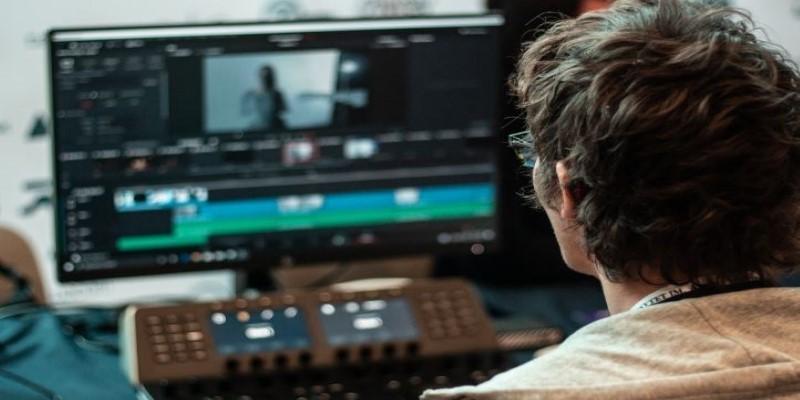
Editing videos on Linux used to feel like building a boat with scrap metal. You had to dig around forums, fight with dependencies, and often settle for software that couldn't match what you'd find on other operating systems. That's changed. Linux now has solid video editing tools that can handle anything from quick cuts to full-scale film projects.
They are mostly free, open-source, and created by individuals who take an interest in making creative work possible without confining themselves to a commercial box. Whether you're editing clips for a YouTube channel or cutting footage for a short film, there's something here that can do the job without breaking the workflow.
Top 5 Video Editing Software for Linux
Kdenlive
Kdenlive stands out as the first stop for many Linux video editors. It’s been around since the early 2000s and has matured into a dependable choice for most projects. Built on the KDE platform, it works well on almost all major Linux distributions.
The interface feels familiar if you’ve used other editors before. You get a timeline with multiple video and audio tracks, real-time previews, and a decent library of transitions and effects. It supports proxy editing, which helps if you’re working with large files on an older machine. The software also handles a wide range of formats thanks to FFmpeg integration, so you won’t run into strange codec issues that derail your project.
You can customize almost every part of the workspace, including shortcuts. Stability has improved in recent versions, and the team behind it is active, fixing bugs and adding features regularly. If you want an all-purpose editor that doesn’t feel stripped down, Kdenlive is a solid option.
Shotcut
Shotcut is a cross-platform editor that regards Linux as a first-class citizen. It doesn't need to be installed via a package manager—you can simply extract and execute the file. This avoids dependency and update headaches.
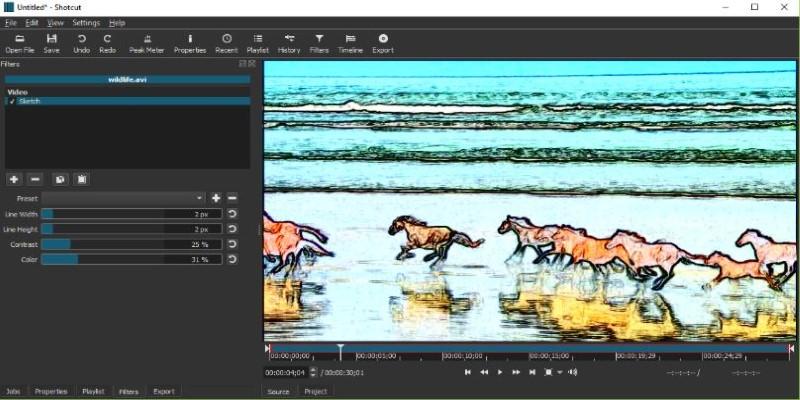
The interface takes a bit of time to get used to, especially since it doesn’t follow the traditional layout of most editors. But once you understand how it works, it’s quick and direct. Shotcut uses hardware acceleration when available, and it supports timeline editing, trimming, filters, and keyframes. You can also stack filters in any order, which offers more flexibility for creative effects.
What makes Shotcut attractive is its simplicity. It doesn't try to do everything at once, which keeps it lightweight and responsive. It's ideal for editing short videos, screencasts, or simple projects where you want more control than a mobile editor can give but don't need Hollywood-level tools.
DaVinci Resolve (via Linux Beta)
DaVinci Resolve is not open-source, but there’s a Linux version available—though it comes with caveats. You’ll need a fairly modern system, and the installation process can be tricky. It’s mainly aimed at advanced users who are comfortable tweaking drivers and dependencies. If you’re using a system with an NVIDIA GPU and have the patience to configure it right, you’ll get one of the most powerful editors out there.
Resolve is built for professional colour grading, but its editing capabilities have grown over the years. You can cut, merge, mix, and add motion graphics without needing separate tools. There's a free version and a paid version, with the free one offering more than enough for most solo creators.
If you're serious about post-production and don’t mind the technical setup, Resolve on Linux offers studio-grade performance. But it’s not beginner-friendly. Expect a learning curve and a few bumps unless you're familiar with how Linux handles proprietary software.
OpenShot
OpenShot is one of the most approachable video editors available on Linux. It’s designed with simplicity in mind. The interface is clean, and basic functions like cutting, trimming, and layering clips are easy to access. It supports drag-and-drop, has a range of transition effects, and includes title templates for quick text overlays.
What it lacks in advanced features, it makes up for in ease of use. If you’re just starting out or need to put together simple edits quickly, OpenShot gets the job done. It doesn’t demand much from your hardware, either.
It’s not perfect, though. Performance can suffer with longer or more complex projects, and there are occasional bugs. But for basic editing—especially for social media videos, family clips, or presentations—it’s one of the least stressful tools to learn and use.
Flowblade
Flowblade is a lesser-known editor, but it’s surprisingly powerful. It’s fast, lightweight, and focused on getting work done without distractions. It follows a more traditional editing approach and avoids unnecessary fluff. That means no flashy transitions or bloated plugin systems—but also fewer slowdowns and crashes.
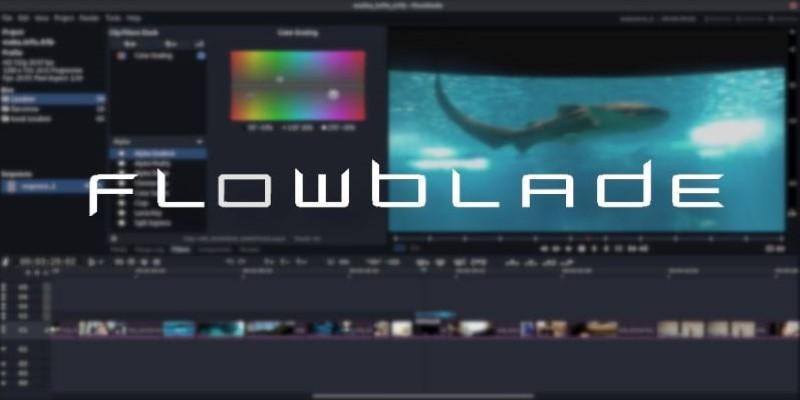
It uses a “film-style” workflow where each clip is locked into place unless you shift things around manually. This can feel rigid at first, but for some editors, it’s helpful for staying precise. There are plenty of effects and filters, though they’re more functional than artistic. You can also manage audio and video tracks separately and add keyframe-based animations.
Flowblade isn’t trying to be everything to everyone. It focuses on speed, clarity, and editing logic. If you like to work without too many visual distractions and want full control over your timeline, Flowblade is worth trying.
Conclusion
Video editing on Linux doesn’t have to feel like you’re working with one hand tied behind your back anymore. Whether you want something simple like OpenShot or are ready for full-scale work with Kdenlive or DaVinci Resolve, the tools are here. They may not always be as polished as the ones on other systems, but they get the job done, and many are improving fast. Best of all, they respect your freedom to choose how you work. You don’t need to leave Linux to make something great. You just need the right editor for your style and project.